




Blog Detail
February 17, 2026
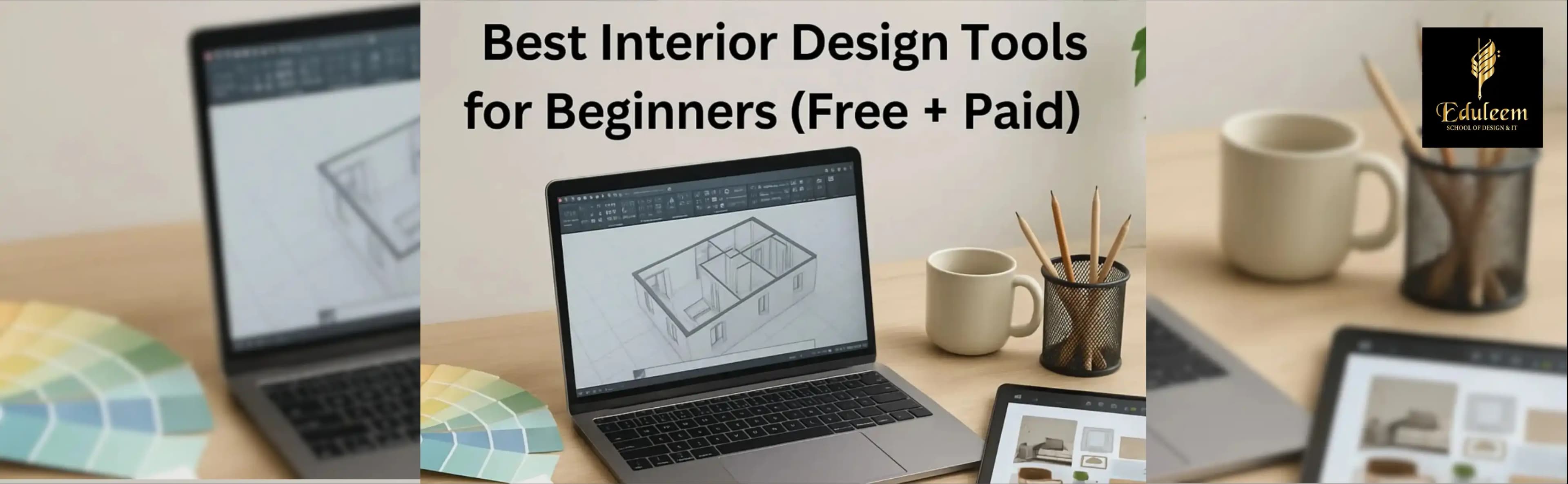
In today’s digital age, interior designers rely on smart tools to bring their ideas to life. Whether you’re a student or someone just starting out, using the right interior design tools can help you learn faster, work smarter, and design better. From sketching your ideas to building 3D models, the right software can turn your creativity into professional work. In this blog, we’ll explore some of the best free and paid interior design tools for beginners. We’ll also share how Eduleem’s Interior Design Courses in Bangalore help students master these tools with hands-on training.
Pro Tip: Look for courses with industry-standard certifications to enhance your job prospects right after graduation. Check Our Interior Design Diploma course offered by Eduleem. Explore job opportunities in interior design offered by Eduleem
Free Interior Design Tools for Beginners
Eduleem’s Interior Design Course in Bangalore is structured to help beginners become professionals. Whether you’re a student, graduate, or career-switcher, you’ll gain real-world skills across the following areas:
-
SketchUp Free
- What it’s used for: 3D modeling and interior space planning
- Key features:
- Easy drag-and-drop interface
- Cloud-based access
- Great for layout planning and basic 3D modeling
- Who should use it: Beginners, students learning basic 3D layouts
- Pros: Free to use, user-friendly, supports extensions
- Cons: Limited features compared to the Pro version
-
Roomstyler 3D Home Planner
- What it’s used for: Simple room design and furniture placement
- Key features:
- Realistic room views
- Large furniture library
- Easy to drag and drop items
- Who should use it: Absolute beginners and hobbyists
- Pros: Easy to use, requires no download
- Cons: Less professional control, basic rendering
- Residential & Commercial Design
-
Canva
- What it’s used for: Mood boards, presentations, and visual storytelling
- Key features:
- Pre-made templates
- Easy drag-and-drop graphics
- Cloud saving and sharing
- Who should use it: Design students for project presentations
- Pros: Free, simple UI, great for quick visuals
- Cons: Not built for 3D or floor plans
Learn how to present your ideas confidently
Paid Interior Design Tools for Serious Learners
-
AutoCAD
- What it’s used for: Creating accurate 2D and 3D plans
- Key features:
- Industry-standard CAD tool
- Precise drafting
- Extensive library of materials
- Who should use it: Interior design students, freelancers, and professionals
- Pros: Trusted by top designers, highly accurate
- Cons: Expensive, steep learning curve
-
SketchUp Pro
- What it’s used for: Advanced 3D modeling and visualization
- Key features:
- Detailed modeling tools
- Real-time walkthroughs
- Supports plugins like V-Ray
- Who should use it: Students ready for professional-level design
- Pros: Flexible, intuitive, great rendering quality
- Cons: Subscription cost, requires practice
-
Revit
- What it’s used for: BIM (Building Information Modeling)
- Key features:
- Collaboration features
- Smart floor plans and modeling
- Data integration with construction elements
- Who should use it: Advanced students and professionals
- Pros: Powerful tool for teamwork and big projects
- Cons: Complex interface, high system requirements
-
Adobe Creative Suite (Photoshop, Illustrator, InDesign)
- What it’s used for: Rendering, editing, layouts, and presentations
- Key features:
- Design mockups
- Photo editing for mood boards
- Custom graphics and presentations
- Who should use it: Students building portfolios and designers
- Pros: Industry-standard, versatile
- Cons: Monthly subscription, separate tools for different tasks
Why Bangalore Is the Right Place to Study Interior Design
Bangalore is known for its modern infrastructure, real estate growth, and design-conscious population. Studying at Eduleem in Bangalore gives you exposure to:
- Live commercial & residential projects
- Mentors from the design industry
- Internship opportunities in real firms
- Design exhibitions and networking events
Did You Know? Bangalore hosts multiple design expos and events, giving students valuable networking opportunities with professionals in architecture and interior design.
Learn These Tools with Practical Training at Eduleem
While using tools is essential, learning how to use them correctly is even more important. At Eduleem, our Interior Design Courses in Bangalore are designed to teach you these industry tools through 100% practical training. Whether it’s SketchUp, AutoCAD, or Adobe Photoshop, we make sure our students are not just learning but actually designing real projects.
By joining Eduleem, you’ll:
- Get hands-on training on the best interior design software
- Build your own design portfolio
- Learn from experts with real-world experience
In Conclusion: Your Journey Starts Here
Choosing the right interior design tools is a key step for beginners. Whether you’re exploring free software or ready to invest in paid tools, these platforms will help you build your skills and confidence. And if you want to learn interior design tools in Bangalore with guidance, practice, and career support Eduleem is here for you.
Want to know more? Check out our course details and see how we help turn your creative passion into a successful interior design career.



Recommended Articles
Explore Related Articles

Interior Design Course in Bangalore | Best Hands-on Training
Which is the Best Interior Design Course in Bangalore with Internship and Placement Support?
Top Strategies to Succeed in an Interior Design Course in Bangalore

Become a Pro: Interior Design Course to Launch Your Career in 2026

A Practical Interior Design Course for Today’s Design Industry

Join The Best Interior Design Course In Bangalore - Eduleem

Interior Design Course in Bangalore: Career Scope, Salary & Job Roles Explained

How Does an Interior Design Course Prepare Students for Real Work?
Get in Touch With Us
Choosing the right course can be confusing. Book a consultation with our expert trainers to get clear guidance and choose the right learning path for your career.


